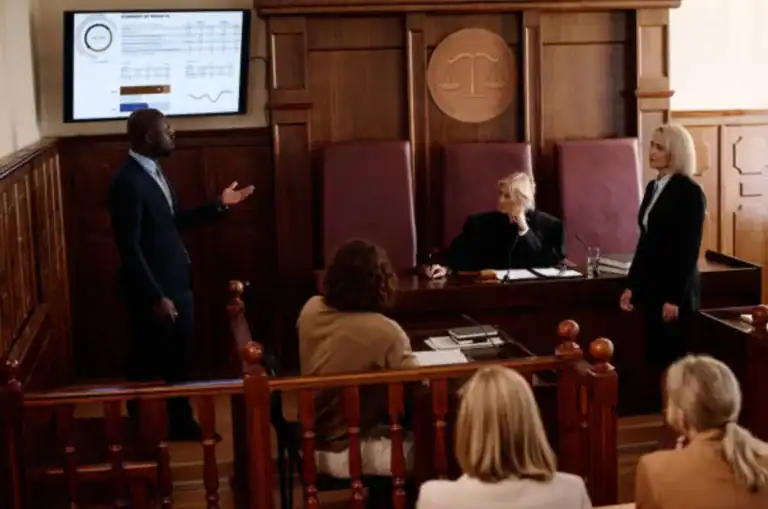



An October 2025 jury verdict in a New York medical malpractice case makes the future brighter for a family that faced an uncertain tomorrow. Case Crafter helped make that jury verdict possible, from start to finish.
New York litigator Stephen Harber was the lead attorney on this case, which involved a birth injury incurred during a grueling four-hour labor. Stephen’s team used Case Crafter to present complex topics, such as arrest of descent caused by cephalopelvic disproportion, to jurors. This medical term basically means the baby’s head was so large the baby was stuck in the birth canal. Additionally, “Case Crafter presentations linked medical records and expert reports to highlight key moments of the delivery timeline,” Stephen said. “For example, at one point, the medical staff ignored three consecutive late fetal heartbeat decelerations, a clear indication of fetal distress.”
Furthermore, Stephen used Case Crafter to discredit a key defense expert witness and show the long-term effects of fetal brain injury, such as autism and ADHD. These elements had a direct bearing on the outcome of the case and the $3 million in damages the jury awarded, he opined.
Successful jury verdicts don’t appear out of thin air. Case Crafter provides key legal support not only during trial, but also during the pretrial process. “My clients needed something better than the existing legal timeline software,” Stephen remarked. “So, Case Crafter is a complete repository for evidence in the case as well as case materials, such as prior case law and scholarly articles.”
In this case, the real Case Crafter difference came at the end of the trial. Closing arguments are the signature moment of any jury trial, and Case Crafter enhances these moments. During his oral argument, Stephen connected jury questions with the evidence in the case, giving jurors a clear path to follow when they began deliberations. “Case Crafter let me connect with jurors during my summation, and that may have been the difference in the outcome,” he concluded.
“Jurors asked the judge if they could use the Case Crafter timeline during their deliberations. The judge refused that request, but it proved how effective the Case Crafter presentation had been. I’m usually at least a little surprised when jurors return their verdicts. But this time, I wasn’t surprised at all.”
Why Digital Tools Are Changing Courtroom Strategy
This case is important not only because of the damages the family received, but also because it began the collaboration between attorneys and IT professionals that produced the current version of Case Crafter.
As Stephen indicated, complex litigation cases, such as medical malpractice matters, involve a voluminous amount of evidence and materials. Only a digital tool like Case Crafter allows lawyers to effectively, and persuasively display these materials during mediation, bench trials, and jury trials.
Digital tools like Case Crafter improve a lawyer’s courtroom strategy because they allow lawyers to focus on compelling oral arguments and witness examinations. Case Crafter sorts the evidence and materials, so lawyers don’t have to worry about this chore.
Key Features of Case Crafter Trial Presentation Software
The best trial presentation software combines prominent displays with high functionality and an intuitive, easy-to-use interface. This combination significantly improves results at trial or at mediation. Given the historically low plaintiffs’ winning percentage, litigators need every possible edge during trial and mediation.
Centralizing Evidence for Faster Access
As Stephen stated, good trial presentation software, like Case Crafter, not only displays various forms of evidence, such as documents, audio, and video, during trial. It also centralizes this evidence so litigation teams collaborate better during the pretrial process.
Complex cases often involve multiple lawyers, not to mention multiple experts. Case Crafter puts all evidence in one place, so these diverse litigation teams stay on the same page throughout the pretrial process.
This consolidation pays dividends at mediation or trial. Instead of fumbling for the right evidence to fit the right situation, Case Crafter has it all in one place.
We mentioned that Stephen used Case Crafter to undermine an expert’s credibility. The defense expert, a neurologist, testified that the child’s brain injury was unrelated to the child’s autism and ADHD. The neurologist admitted he was unfamiliar with a certain kind of brain injury. Mostly by displaying videos and MRI scans, Case Crafter enabled the jury to clearly see the expert’s shortcomings. Such on-the-fly evidence use during trial or mediation is impossible without good trial presentation software.
Building a Clear, Compelling Trial Timeline
Case Crafter enables lawyers to focus on pivotal parts of a timeline, letting the judge, jury, or mediator focus on what’s important.
The mother’s labor in the $3 million verdict case is a good example. The first half of this four-hour labor was largely uneventful. Then came the critical moment, when doctors should have recognized signs of severe fetal distress and should have ended labor, probably by C-section.
Case Crafter legal timelines integrate hard evidence, like fetal monitor readouts, with explanatory information, such as scientific articles. Case Crafter’s bookmark feature enables lawyers to zero in on critical information at just the right moment.
Presenting Visual Evidence with Confidence
When Steve Jobs unveiled the iPhone in 2007, he supposedly had several different devices at hand. The early iPhone wasn’t fast enough to move from web browsing to text messaging to apps and so on. He didn’t want to display a lagging device.
Many older legal timeline programs have that same issue. Designers have added multiple features to legal timeline programs, but in many cases, developers haven’t sufficiently upgraded the timeline’s operational functions. As a result, the timeline’s functions greatly increase lag time, making the presentation much less compelling. Additionally, many timeline programs depend entirely on Wi-Fi connections which are often unstable, at best, in courtrooms and mediation sites.

As a result, the timeline display is prone to breakdown at the moment it’s needed most. The lawyer not only loses an opportunity to highlight a key part of the timeline, but may also look unprepared in front of the judge, jury, and/or mediator.
That’s why Case Crafter’s features include offline accessibility and advanced lawyer control features. These features also enhance security while freely allowing collaboration during the pretrial process.
Overall Lessons from the Case: Technology as a Legal Advantage
Technology enhances persuasion and clarity during trial or mediation. Visual storytelling simplifies complex evidence and improves retention.
Moreover, technology lets attorneys instantly retrieve, display, and annotate documents, photos, and videos. Proper technology use lets attorneys quickly adapt to courtroom developments by displaying impeachment evidence or revisiting exhibits on the fly. Highlights, callouts, zoom features, and other such tools draw juror attention to critical details during questioning or argument.
The benefits of trial software start well before the trial. Software integrates discovery materials, depositions, and trial exhibits into a single system. Remote collaboration via document sharing strengthens cases and faster setup reduces costs.
Only a legal timeline satisfies modern courtroom expectations. As courts increasingly adopt technology, effective use of presentation software demonstrates professionalism and technological competence, increasing lawyer credibility at a time when many people believe lawyers aren’t credible.
FAQ About Trial Preparation and Presentation Software
What does trial presentation software do?
Trial presentation software puts diverse information into a single format that’s easy for judges, jurors, and mediators to follow. Key features of trial presentation software include a dynamic timeline, a user-friendly interface, and callout tools.
How does trial presentation software help in court?
In a nutshell, effective timeline video presentation takes a case up a notch. Mediocre claims become solid claims and solid claims become compelling ones. This difference gives attorneys a decisive advantage not only at trial and in mediation, but in settlement negotiations as well. It increases attorneys’ appeal at trial and increases their settlement value during mediation.
What are the best tools for presenting evidence?
No other evidence presentation tool has the capabilities of Case Crafter. Unlike OnCue, Case Crafter is a complete repository for all case materials. This key functionality streamlines the pretrial process and gives lawyers flexibility during any trial, settlement, or mediation presentation. ExhibitView sorts and presents documentary evidence but has few additional capabilities. TrialPad is a good tool for presenting evidence but it’s usually not compatible with Windows laptops or other devices.
Can trial presentation software help win cases?
Yes, trial presentation software can help win cases. It enhances how evidence and arguments are communicated, allowing attorneys to present complex information clearly through visuals, videos, and timelines that engage jurors and judges.
The ability to highlight, zoom, and annotate exhibits in real time strengthens key points and credibility. Organized, efficient access to exhibits prevents delay and keeps the focus on the narrative.
The software itself doesn’t win cases. But it gives lawyers a persuasive advantage that can significantly influence courtroom outcomes.
What features should I look for in trial presentation software?
Key features of trial presentation software include multimedia support and integration, strong evidence organization and search/searchability functions, annotation, markup, and demonstrative tools, smooth courtroom presentation and display control, and compatibility and reliability in trial settings.
Case Crafter checks all these boxes. It fully supports multimedia presentations, organizes and categorizes evidence and other case materials, includes annotation tools, like callout boxes on PDF documents, and is easy to use in trial and mediation settings.