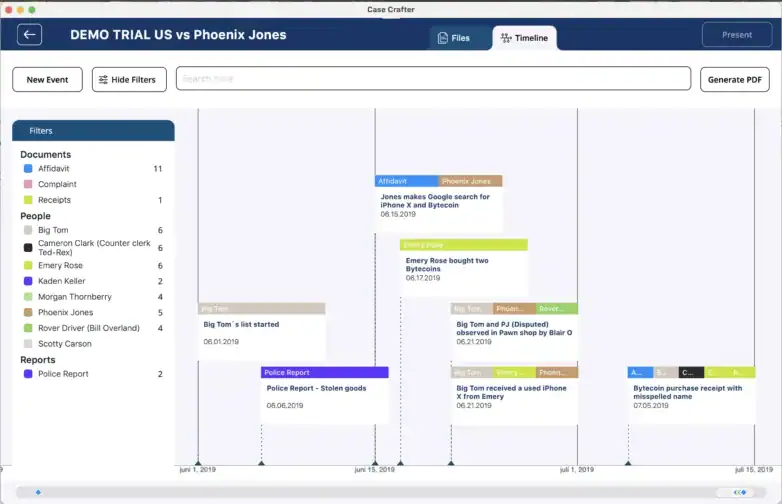
Legal timeline software designed for lawyers to organize evidence, build clear legal case chronology, and present litigation timelines with confidence. Case Crafter helps attorneys create structured timelines, connect case events, and prepare for trial efficiently.
7 day free trial. No credit card required.
Legal Timeline Software is a specialized case management tool that helps lawyers organize case events, evidence, and documents into a structured legal case chronology. Litigation timeline software allows attorneys to visualize facts, link evidence, and present timelines clearly in court. This timeline software for lawyers improves case preparation, strengthens legal arguments, and ensures critical events are easily accessible during litigation.
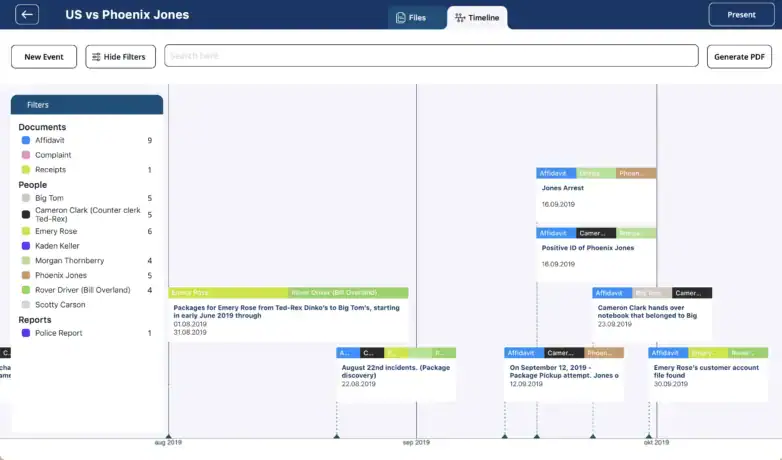
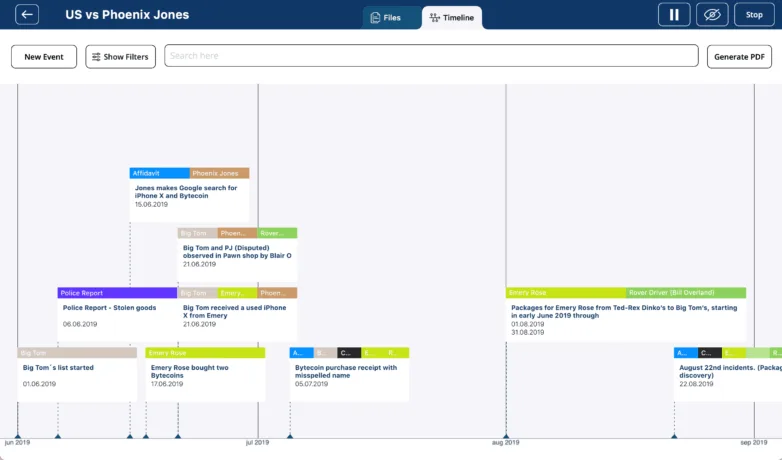
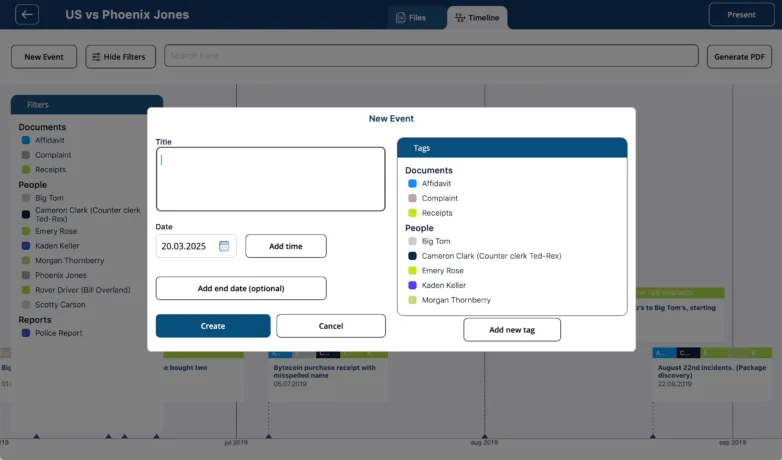
Build case overviews using our timeline maker. The timeline visually represents the case, helping to create a compelling case story. By importing case evidence, tagging relevant people, and adding dates, you can link witnesses, facts and much more in a cohesive chronology.
Use the present mode to share the timeline when you’re in the courtroom. You can choose to present the full case chronology or zoom in on specific case details. When you’re in present mode, your own dashboard is hidden, enabling you to move between the Timeline and Files tabs without anyone noticing.
You also have the option to generate a PDF of the timeline that you can distribute during the trial.
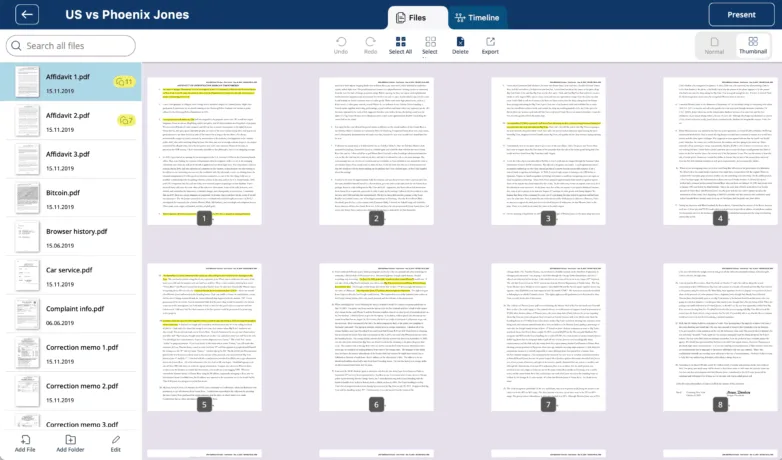
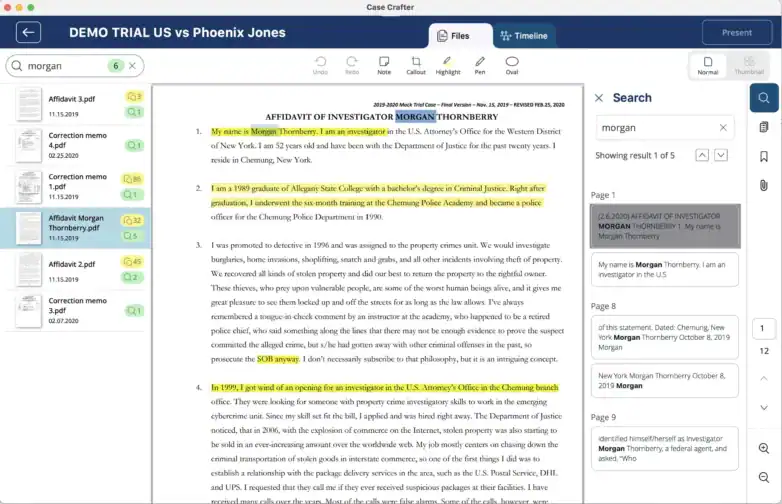
Our litigation timeline software makes identifying and organizing case events easier. You can organize all files into folders, and group PDF documents alongside evidence in other media formats. All imported documents are indexed, which enables full-text search capabilities. The software automatically identifies dates, allowing you to find important information quickly.
Import files into the dashboard and annotate them directly using our edit tools. These tools enable you to highlight important dates, callout events, and add sticky notes with important internal notes for your trial presentation. All annotations are saved automatically, making it easy to present detailed evidence in court.
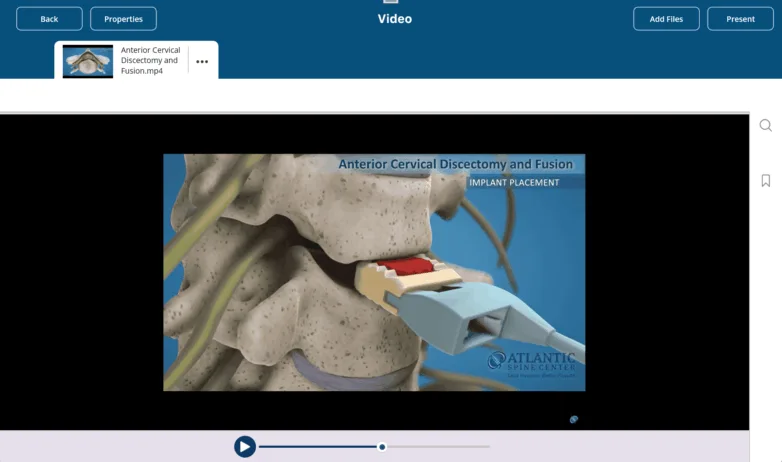
Beyond PDFs, Case Crafter supports multimedia formats like photos, videos, and audio. Assign timestamps, tag participants, and integrate media directly into your legal case timeline—helping attorneys create immersive and fact-driven narratives for trial.
Filter by witness, event type, or relevance to hide or display key evidence during trial presentations. These advanced filtering options make Case Crafter’s legal timeline software invaluable for litigation teams that need precision and control in real-time.
By using our legal timeline software you eliminate the need for labor-intensive spreadsheets and diagram software. The timeline maker is a time-efficient tool that facilitates simultaneous case management. Keep a case on your device only, or sync it to the cloud and share it with your team. The files you present are always on your device, so you won’t encounter any issues while presenting your case, even if the internet connection is unreliable. In our present mode, you can show the timeline while keeping your dashboard hidden. The Case Crafter software makes trial presentations effective and compelling.
Case Crafter is designed to complement your existing case management or discovery platforms. Attorneys can import evidence directly from document review systems or shared drives, preserving metadata and file integrity. Once imported, files are automatically indexed and searchable within the legal timeline software, creating a unified view of all case materials.
Yes. With Case Crafter’s attorney timeline software, each exhibit, transcript, or document can be tagged to a witness, event, or legal issue. This linkage allows you to cross-reference testimony and evidence instantly during preparation or in-court presentation, providing a tactical advantage when clarifying inconsistencies or reinforcing causation.
Case Crafter is engineered for scalability. The legal timeline software automatically indexes large data sets, including PDFs, videos, and audio recordings, for fast retrieval. Attorneys can filter events by tags, relevance, or source file type to isolate key facts and build legal case timelines without performance slowdowns — even in data-heavy cases like medical malpractice or complex litigation.
Unlike traditional trial presentation software for lawyers, Case Crafter’s “Present Mode” is fully synchronized with your working dashboard. It allows attorneys to switch between the legal timeline, exhibits, and supporting documents in real time, all while keeping internal notes and filters hidden from view. This ensures a seamless courtroom experience that maintains confidentiality and control.
Collaboration is central to Case Crafter’s design. Multiple attorneys can work on the same case timeline simultaneously, adding annotations, linking evidence, and flagging discrepancies. The timeline software for attorneys maintains a version history of edits, ensuring transparency and accountability across litigation teams while eliminating redundant effort.
