
 Reviewed by Lexi R. Gedlaman
In most cases, jurors think linearly (a “one plus one equals two” type of reasoning). This approach is systematic and analytic. For example, a birth injury case often involves a series of linear errors. After Dr. Y overlooked or dismissed a potential red flag, such as the mother’s history of birthing large babies, Dr. Y compounded that error by failing to order certain medical tests and being unprepared for SD (shoulder dystocia) in the delivery room. Taken individually, these errors might not seem particularly serious, and linear-thinking jurors may conclude Dr. Y’s conduct was medically acceptable.
In contrast, most lawyers think conceptually. This training begins in their first year of law school with basic overview classes such as Contracts and Torts. They are taught to connect ideas, identify patterns, and examine the “big picture” to solve complex problems. So, a lawyer sees all the little things at once and puts them together accordingly.
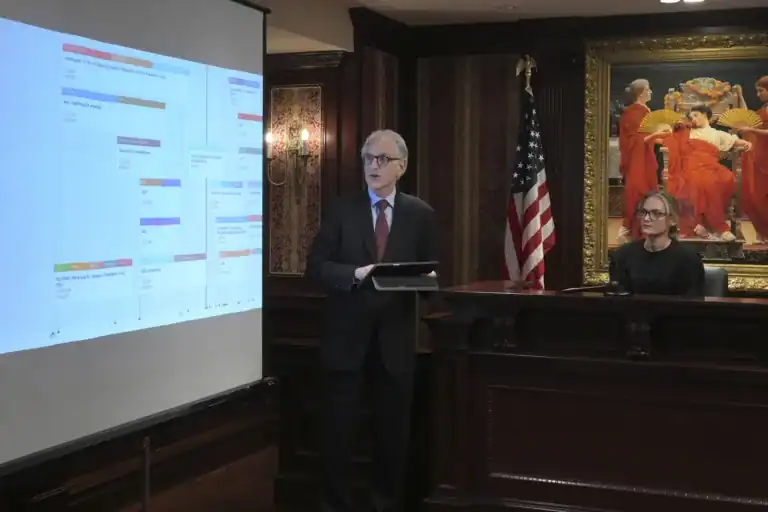
Legal chronology software bridges the gap between linear and conceptual thinking. This litigation support software can enable lawyers to translate conceptual ideas, like medical negligence, for a linear-thinking audience. Effective case chronology tools, like Case Crafter, use linear timelines to relay conceptual ideas. Case Crafter uses a combination of cutting-edge technology and proven methods to create a demonstrative exhibit like no other.
What Legal Chronology Software Is and How It Helps Build Litigation Timelines
Legal chronology software presents evidence in an interactive, timeline-based format to help jurors visualize the sequence of events. This type of trial preparation tool can also help lawyers prepare direct and cross-examinations based on what each witness is expected to testify about and what points the lawyer wants to establish or challenge.
All these features and functions mean that case timeline software must walk a fine line between ease of use and complexity of display. A lawyer must be able to control the timeline without causing distraction, and at the same time, the display must be engaging enough to impress an audience of jurors who are increasingly accustomed to seeing high-quality digital graphics.
Why Litigation Teams Rely on Legal Chronology and Case Timeline Software
Litigation teams often rely on case timelines to help map out their legal theory and to present their cases during negotiations or in the courtroom.
Crafting a compelling theme that will persuade a jury is one of the most difficult challenges that litigators face when preparing for trial. Attorneys must present the evidence in a way that captures the jurors’ attention while also proving their case. Case Crafter helps litigation teams prepare for trial more effectively by focusing on their case theme and presenting their case in a manner that appeals to jurors.
Security Features of Case Crafter’s Chronology Software
The delicate balance between robust security and ease of use is the hallmark of all good evidence management software.
Few things disrupt a presentation’s flow more than an untimely demand for a username and password. Case Crafter keeps information secure without putting it on lockdown. Case Crafter focuses on security by storing critical documents locally, while still allowing remote access via Dropbox and similar platforms. So, it’s safe to use during pretrial preparations that involve legal team collaboration in different locations.
Organizing Evidence and Testimony Chronologically
Case Crafter pushes lawyers to think like jurors while preparing for trial. Case Crafter’s chronology software helps lawyers present a step-by-step case timeline that walks jurors through complex claims and defenses in a simple and easy-to-digest manner. With unique features, such as the ability to emphasize certain parts of a timeline in real-time, Case Crafter makes it easy for attorneys to connect with jurors during trial.
How Legal Chronology Software Improves Accuracy and Reduces Evidence Management Errors
Improved accuracy helps lawyers delegate tasks to nonlawyers, such as paralegals, with more confidence. Spreading the workload during the trial preparation process, like in complex family law cases, helps lawyers focus on conceptual ideas, such as the best interests of the children, as opposed to linear details, such as when Mom picked up the children for a visit. This capability also enables non-legal professionals, such as psychologists, to contribute directly to a case chronology. This direct input gives the final product additional authenticity.

Collaboration Tools for Legal Teams and Attorneys
Quite simply, a legal chronology keeps everyone on the same page and helps legal teams collaborate toward a common goal, such as proving or disproving negligence in a personal injury case. Software collaboration allows each individual to contribute his/her unique talents to the case and preserve a singular approach.
Building Defensible Timelines for Courtroom Strategy
Most legal timelines are selective. A case timeline will inevitably focus on favorable events and downplay unfavorable ones. Timeline software helps ensure that the presented timeline demonstrates a claim or defense effectively. A case chronology effectively organizes evidence and exhibits to correspond with the points a lawyer wants to stress. Case Crafter’s real-time highlighting and callout tools are the ideal helpers in this area. Jurors hear attorneys make arguments or witnesses make points, and they see those arguments or points on a clear and easy to follow timeline.
Integrating Litigation Timeline Software with Other Legal Tools
Case Crafter supplements other legal tools. It does not replace them. These tools work in tandem to allow lawyers to use familiar tools in a new way. As a result, the trial preparation process naturally spills over into the trial presentation process. Case Crafter transforms this cumbersome two-part process into a single event.
Managing Timelines
In the fast-paced world of litigation, efficient time management is often the key to building and presenting a stronger case. During trial preparation, smarter timelines allow legal teams to identify possible weak points, giving them a chance to reinforce these areas. By breaking down complex cases into manageable segments, teams stay organized, collaborate effectively, and maintain focus on long-term objectives. Moreover, a detailed timeline allows for flexibility in responding to unforeseen challenges while minimizing delays. Smarter timelines also enable superior client communication, providing them with clear expectations on the progression of their cases.
When all is said and done, embracing strong timeline management not only improves litigation outcomes but also builds trust and confidence with clients, ensuring a smoother and more effective legal process.
Legal Chronology Software FAQs: Building Better Litigation Timelines
What is chronology software used for?
Case chronology software organizes video, audio, and text evidence into a single timeline. This software also enables legal teams to work with each other, and outside professionals, throughout the trial process. This trial preparation tool can also act as a client communication tool. Clients can see what their cases will look like when the big day comes.
How do lawyers build litigation timelines?
Before such software existed, lawyers typically constructed legal timelines from scratch on a piecemeal basis. This process produced uneven results, at best. Legal timeline software eliminates much of the grunt work, giving lawyers more time to do what they do best. Future versions of Case Crafter will use AI to do even more work, enabling lawyers to focus solely on the final product they show during trials and negotiations.
Why are case chronologies important in litigation?
Case chronologies are critical for connecting with linear-thinking jurors. A timeline translates complex legal concepts into a step-by-step timeline that leads jurors to the desired conclusions.
What features should chronology software include?
Legal timeline software must combine ease of use with a sophisticated display. This software must also combine robust security with ease of access.
Can chronology software integrate with case management systems?
Chronology software works effectively as a tool in tandem with time management and other case management software systems. Case Crafter effectively transforms these individual platforms into players on the same team.
This article is intended to be used for informational purposes only. This article is not intended to provide legal advice in any way.