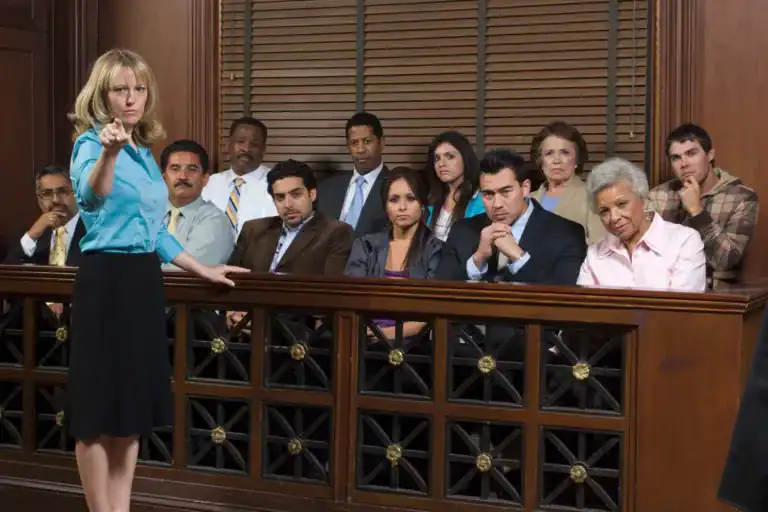
The jury is watching.
Not just your words or the evidence. They’re watching you. They’re observing the way you move, the way you pause between exhibits. Their sharp eye doesn’t miss the nervous half-second glance at the floor instead of them.
Jurors read hesitation instantly.
When your story stutters, when events are out of order, when you’re hunting for a date mid-sentence, you lose their trust.
Jurors don’t just weigh facts; they weigh stories.
A story without sequence is just a jumble of facts they’ll forget before lunch break. That’s why a legal timeline for trial presentation is your argument in its clearest form.
What Is a Legal Timeline for Trial Presentation?
A legal timeline lays out the events of your case in chronological order, so the jury can see cause and effect without having to figure it out on their own.
When they see what happened first, what followed, and what that caused, the story speaks for itself.
Take a personal injury case, for example: The accident happens on a Tuesday. The ER visit is that night. Six weeks later, your client has the first surgery. Then there’s a second opinion. Later, a missed diagnosis shows up, hidden in a note from month four.
Those are eight separate documents sitting in a folder. But when they’re placed in a sequence, they tell one clear story of harm.
The jury doesn’t have to connect the dots. They just follow along the narrative you build.
Why Timeline Software for Litigation Changes How You Prep
Most lawyers build timelines manually. A spreadsheet, a printed table, a whiteboard that made sense in October and looks like a conspiracy theory by January.
That works until the case grows.
Add a second defendant. Throw in three years of medical records. Mix in depositions that don’t agree on dates. Before you know it, your spreadsheet has seventeen tabs, and finding anything takes 20 minutes you don’t have.
Case Crafter keeps everything in one place. You upload the documents, the software grabs the dates, and the events line up. The first draft of your timeline is ready before you even finish your coffee.
Time is the most obvious advantage, but it isn’t the only one. You also get mental space.
Lawyers who aren’t trying to remember where that one exhibit is are free to read the room during trial. You notice everything from the juror shifting in seat four to the judge raising their eyebrows.
How Trial Presentation Timeline Software Supports the Courtroom
Courtroom pacing is a persuasion tool. Most people don’t think of it that way, but it is. Moving smoothly shows confidence. Confidence builds credibility. And in a room where twelve strangers have to decide what’s true, credibility matters more than ever. Trial presentation timeline software keeps you moving without awkward breaks. Exhibits are tagged to dates, dates are linked to events, and when you’re ready to move forward, you move forward. No “bear with me one moment.” Federal fraud prosecutions show why this matters on a bigger scale. Financial crime cases live and die by timestamps—wire transfers, account approvals, money moving across months and borders. Without structure, those facts are just a spreadsheet. Nobody’s ever been moved by a spreadsheet. But show a sequence that makes it clear where the money went and who handled it, and now even a skeptical juror can follow the story without a finance degree. Your case might not be federal, but the principle is the same.What to Look For in Legal Timeline Software for Attorneys
Most timeline tools were built for project managers, journalists, and teams tracking product launches, not for trial work.
Legal timeline software for attorneys has a different job. It has to work under pressure, in a live courtroom, in front of a judge who’s already a little impatient.
Speed matters. If you can’t pull up an event in a few seconds, the software is slowing you down.
Simplicity matters even more. If you have to stop and think about the interface in the middle of a trial, it’s not the right tool.
But the thing that gets overlooked most is offline stability. Courthouses are unpredictable. Wi-Fi drops. Projectors act up. Your software should keep working even if there’s no network, because the one time it fails will most likely be when you need it most.
Case Crafter’s timeline software is built around that reality. Everything runs locally, the interface stays simple, and speed is the baseline.

Litigation Timeline Creation Software: Building the Case Before You Walk In
By the time you’re standing in front of a jury, the trial is already half over. That might sound off, but it’s true. The lawyers who do best in court aren’t the fastest thinkers on their feet. They’re the ones who already know exactly where they’re headed. Litigation timeline software gets you there. Import your documents, let the software pull out the dates, then refine. Tag by witness, group by theme, trace the sequence from start to finish. You build your story before you ever step into the room. That kind of preparation changes how you handle surprises. Maybe opposing counsel brings in a document you didn’t expect. Maybe a witness shifts on a date. When that happens, a lawyer with a clear timeline can slot in the new info right away and keep moving. Chaos won’t shake you, because your foundation is already solid.Trial Timeline Presentation Tools: The Final Check
The night before trial, close everything except your timeline and walk through it one more time. Does it have a clear anchor, one event that makes everything that follows feel inevitable? Does the story move without gaps so the jury isn’t left guessing? If it does, you’re ready. Trial timeline presentation tools don’t replace your argument. They keep it steady. And when your sequence holds, the story lands exactly the way you planned.Frequently Asked Questions
What is a legal timeline for trial presentation?
It’s a clear, step-by-step outline of the events of your case in date order, built to show the jury how one event leads to another.
Why use timeline software for litigation?
It replaces manual tracking, keeping your documents, dates, and exhibits organized in one place.
What does trial presentation timeline software do in court?
It lets you move smoothly from one exhibit to the next, so you don’t lose the jury’s attention with awkward pauses.
What should legal timeline software for attorneys include?
It should be fast, easy to use, and work offline, so you’re never stuck if the courthouse Wi-Fi lets you down.
How does litigation timeline creation software reduce prep time?
It scans your documents, pulls out the dates on its own, and builds the first draft of your timeline for you.