
If you have completed the Sign Up process, you will log in from the Sign Up screen in subsequent sessions.
Open the Case Crafter app and click Get Started! on the Welcome to Case Crafter screen.

On the Sign Up screen, select Log in.
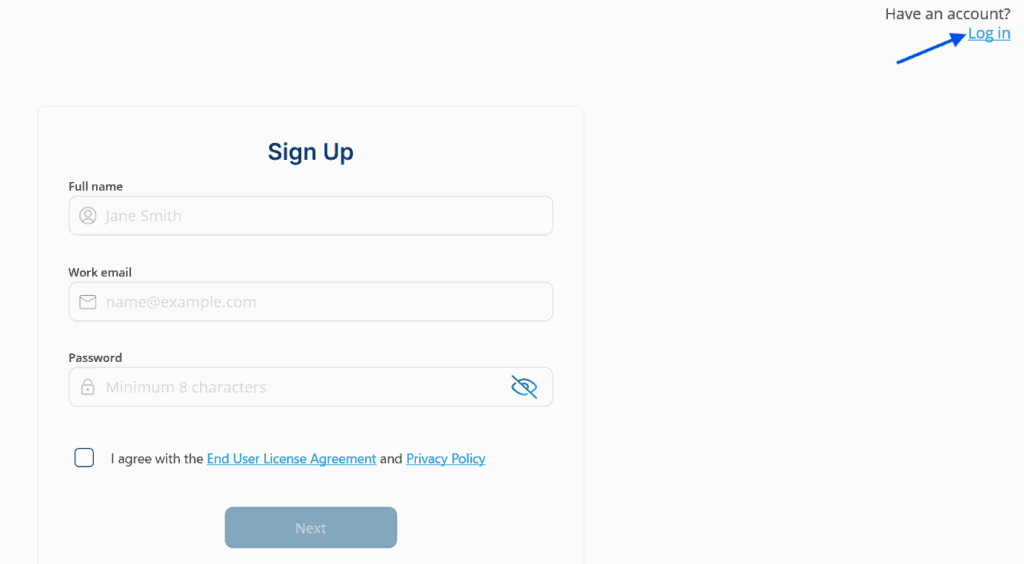
You will see the Sign In screen.

Enter the email address and password you provided when you signed up, then click Log in.
Case Crafter uses multi-factor authentication: after your password you are asked for a one-time verification code that is sent to your email address. Enter the code to finish logging in.
If you have forgotten your password, select I forgot my password. See Forgot Password.
If you need to return to the Sign Up screen to create an account, select Sign up in the upper right-hand corner of the screen. See Sign Up.
